Room management

Make meeting rooms easier to find, book, and manage

Reserve rooms by time, capacity, equipment, and location while workplace teams improve utilization and reduce no-shows.

Explore features
Roomssearchable
Equipmentfilterable
No-showsreduced
Meeting room booking Desklix product visual

Capabilities

Meeting room booking built for daily workplace reality

The capabilities are tied to real workplace workflows so value, setup, and operations stay clear.

01

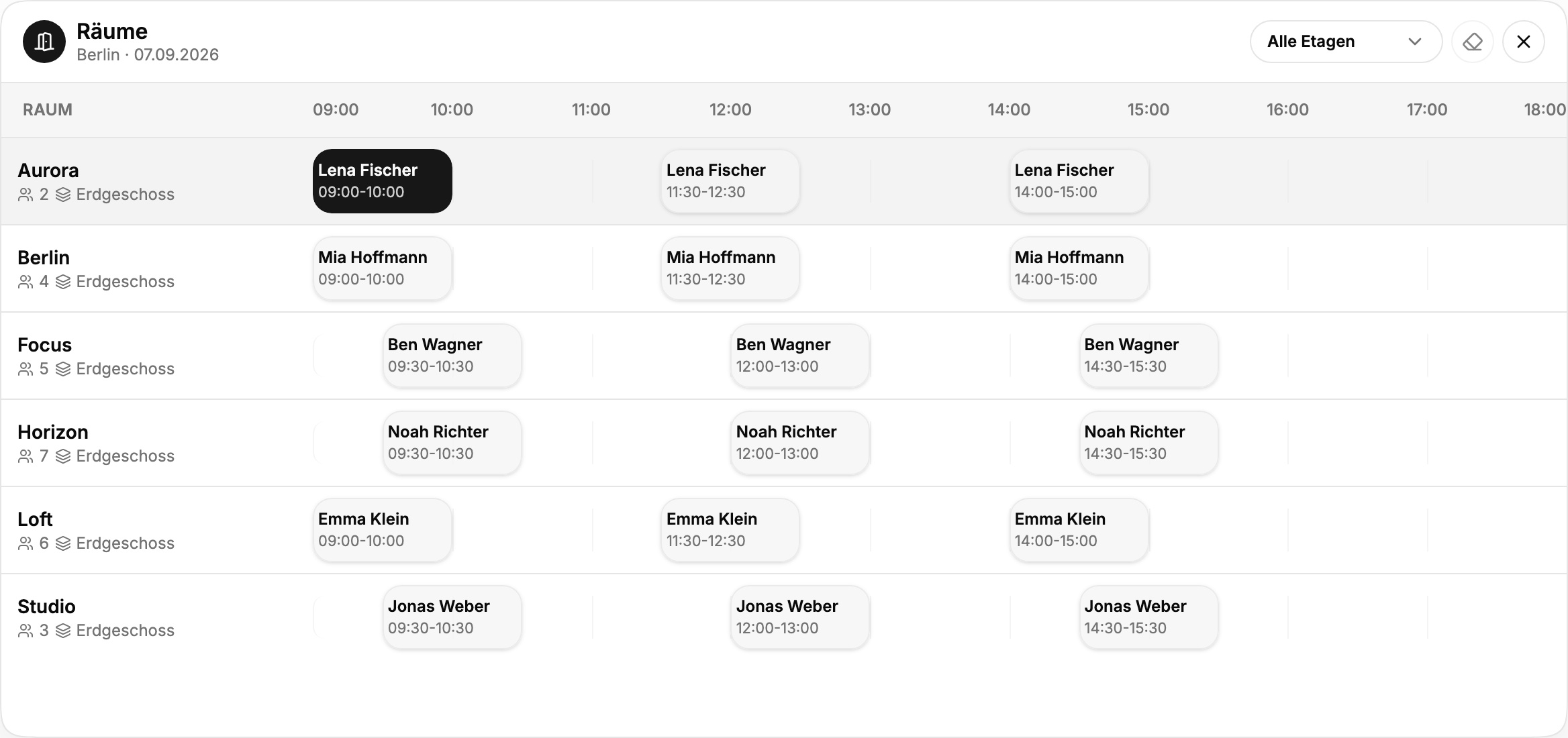
Room timelines

Find rooms by time, capacity, display, video setup, floor, accessibility, amenities, and availability windows.

02

Calendar-friendly booking

Map rooms to Microsoft 365 or Google Workspace resources and keep creates, updates, cancellations, and guest invites aligned.

03

Meeting operations

Attach service requests, catering, setup needs, issues, and recurring service items to the room booking instead of a separate inbox.

Meeting room booking interface preview

Feature checklist

What teams can actually expect

Availability timeline for rooms and shared spaces

Filters for capacity, AV setup, location, and amenities

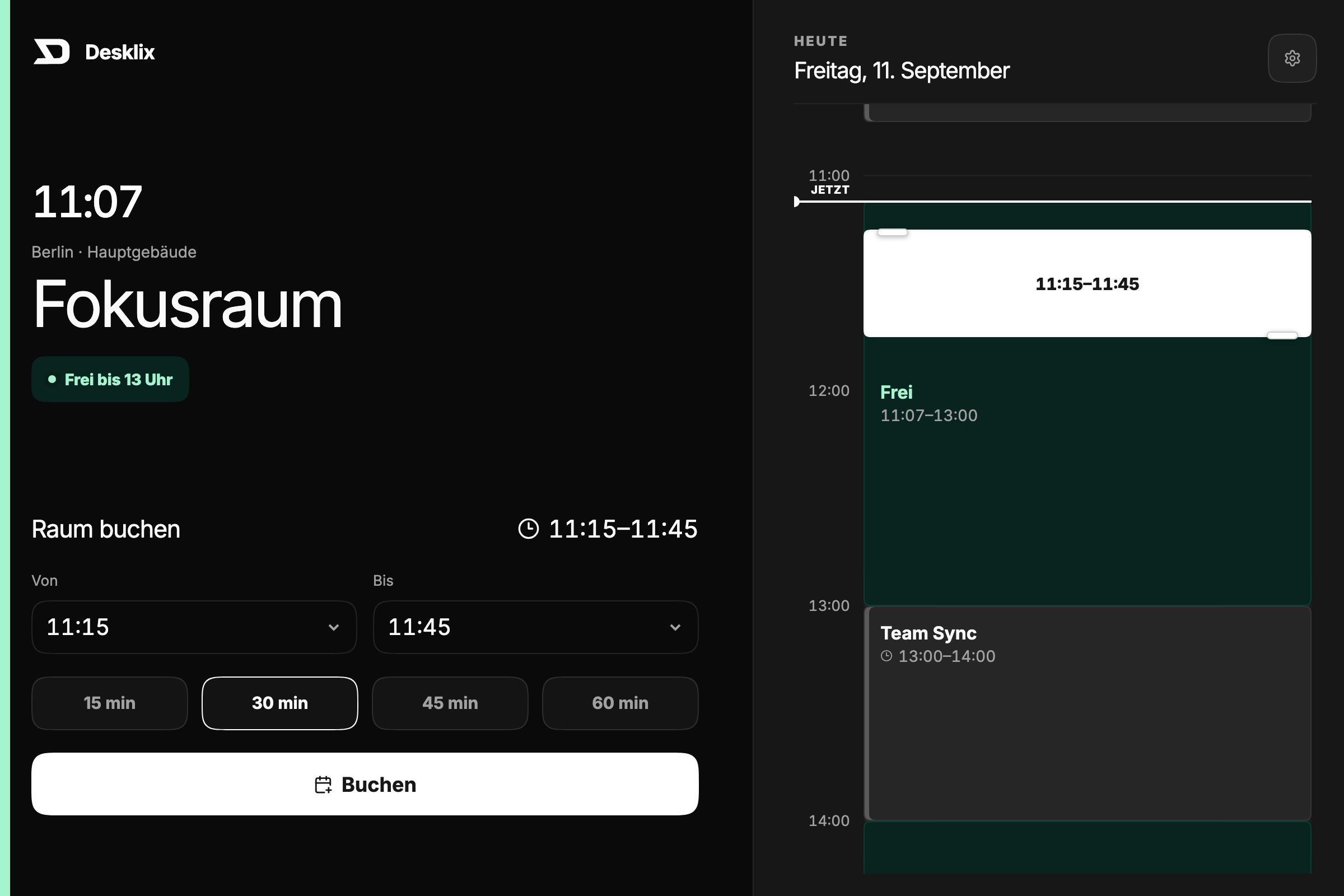
Room display, kiosk-ready states, and meeting-room context panels

Calendar resource discovery, mapping, sync jobs, and conflict handling

Recurring room bookings with editable occurrences and service request inheritance

Check-ins, reminders, and automatic no-show release

Service issue reporting, manager notes, requester updates, and cost centers tied to rooms

Room-size demand and utilization analytics

Workflow

From setup to measurable improvement

01

Create rooms

Resources, roles, locations, and rules are modeled cleanly once.

02

Connect rules and calendars

Employees get fast workflows for planning, booking, and arrival.

03

Track demand

Workplace teams use signals to improve capacity, services, and policies.

Operational impact

A shared source of truth for workplace decisions

Reserve rooms by time, capacity, equipment, and location while workplace teams improve utilization and reduce no-shows.

Less searchingEmployees find the right room without comparing scattered calendars.
Higher room qualityIssues can be reported with location and equipment context.
Better room mixData shows whether offices need more small rooms, large rooms, or focus spaces.

FAQ

Frequently asked questions

Can rooms include equipment details?

Yes. Amenities, size, floor, and setup are core room filters.

Can admins reduce room no-shows?

Yes. Check-in and release patterns are part of room management.

Can analytics support room planning?

Yes. Demand by capacity, floor, and time period helps tune the room portfolio.

Start with a focused pilot

Build a workplace experience people can rely on

Launch the first Desklix workflows with real teams, real spaces, and useful planning data.

Start free trial
Desklix hybrid office visual

Personal product demo

When works for your team?

Choose a preferred time Monday to Friday between 13:00 and 17:00 (Europe/Berlin). We will confirm the appointment by email.

By submitting, we process your details to handle this request according to our privacy policy. Privacy